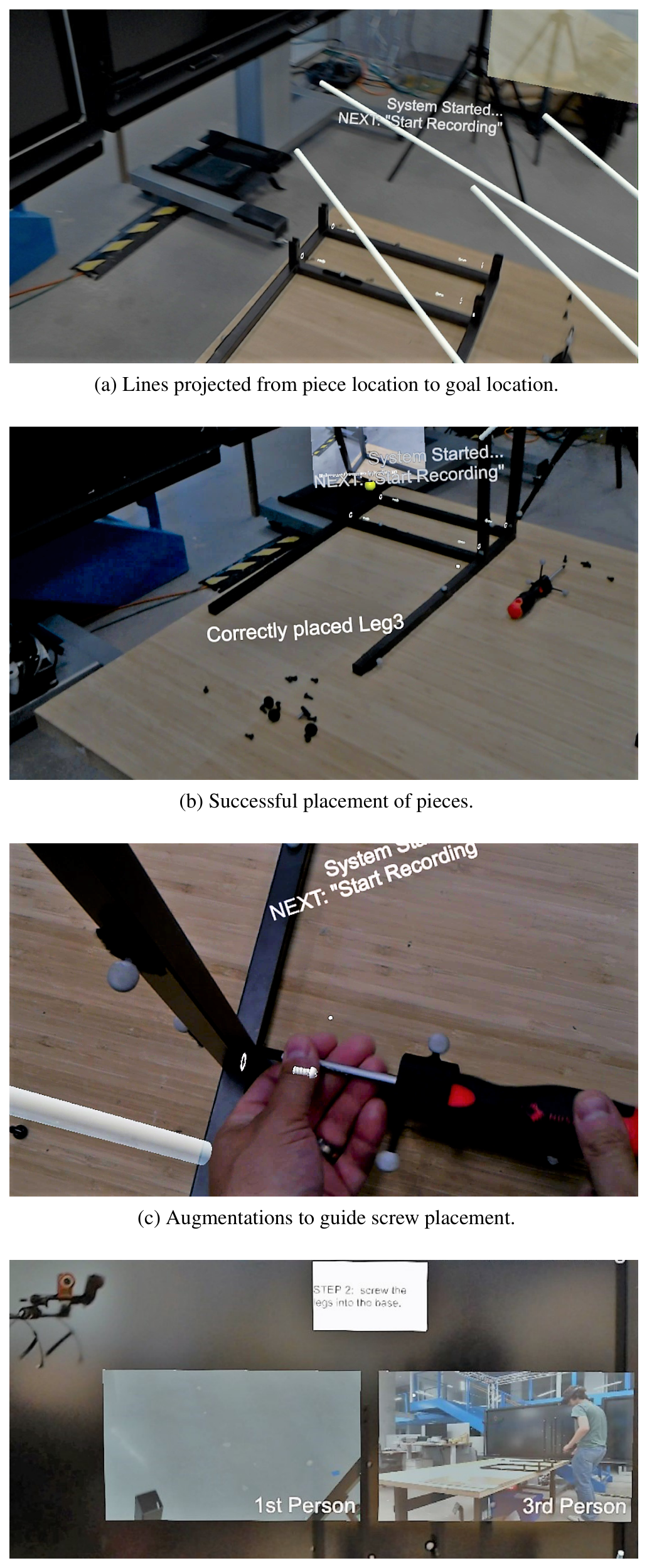
k j

AuthAR: Concurrent Authoring of Tutorials for AR Assembly Guidance

Matt Whitlock, George Fitzmaurice, Tovi Grossman, Justin Matejka
January 2020 · Proceedings of Graphics Interface 2020 (GI)

Abstract

Augmented Reality (AR) can assist with physical tasks such as object assembly through the use of situated instructions. These instructions can be in the form of videos, pictures, text or guiding animations, where the most helpful media among these is highly dependent on both the user and the nature of the task. Our work supports the authoring of AR tutorials for assembly tasks with little overhead beyond simply performing the task itself. The presented system, AuthAR reduces the time and effort required to build interactive AR tutorials by automatically generating key components of the AR tutorial while the author is assembling the physical pieces. Further, the system guides authors through the process of adding videos, pictures, text and animations to the tutorial. This concurrent assembly and tutorial generation approach allows for authoring of portable tutorials that fit the preferences of different end users.

Figures
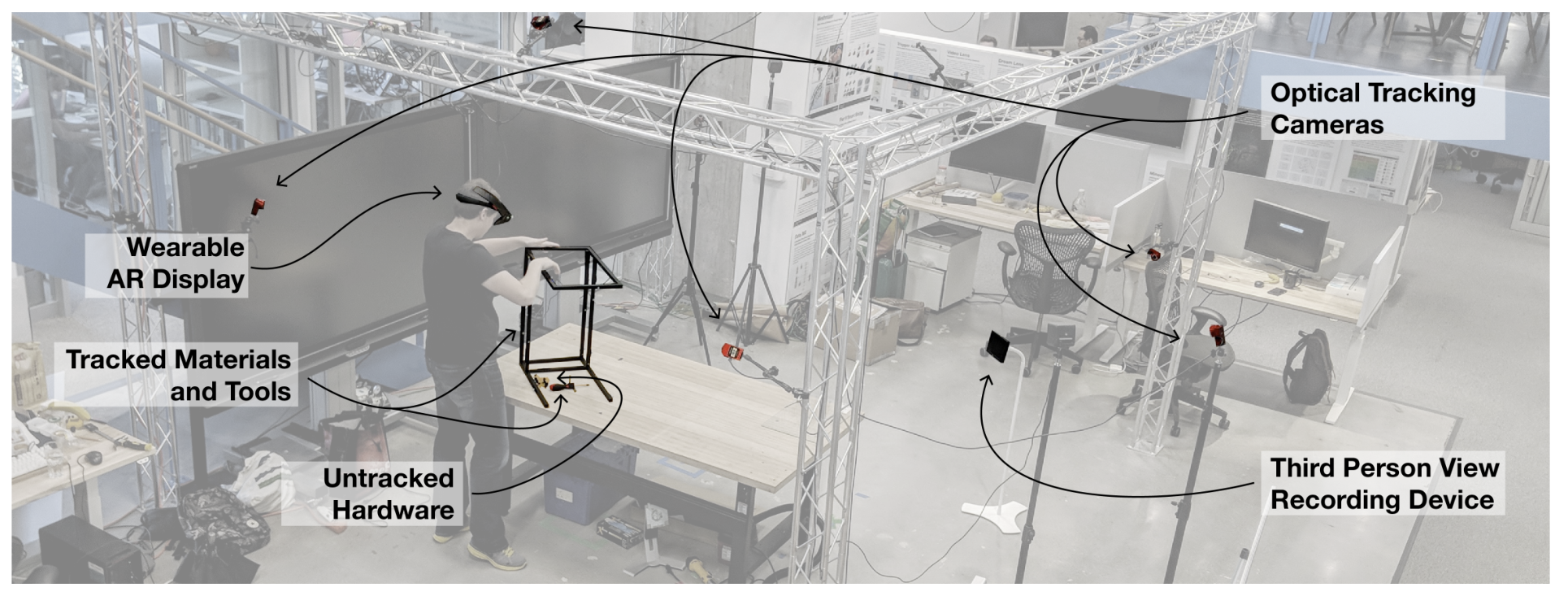
Figure 1: Overview of the AuthAR system setup, highlighting the key hardware components.
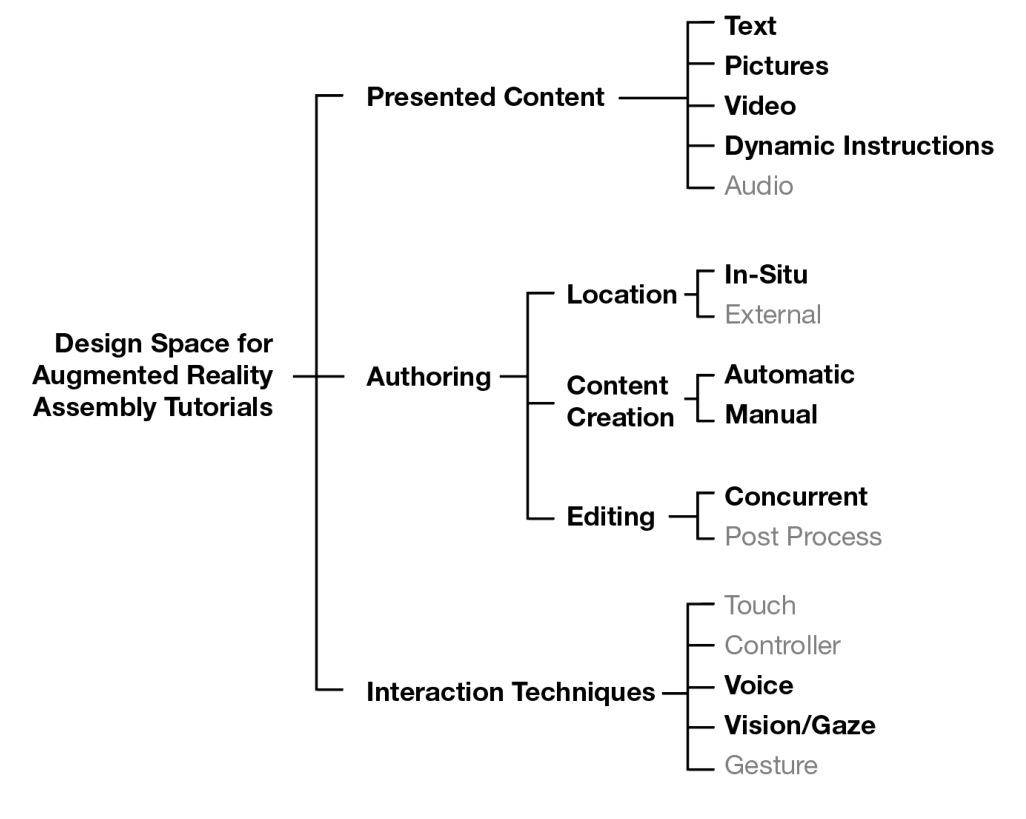
Figure 2: Design Space for AR Assembly tutorials. The design decisions we made are highlighted in black.
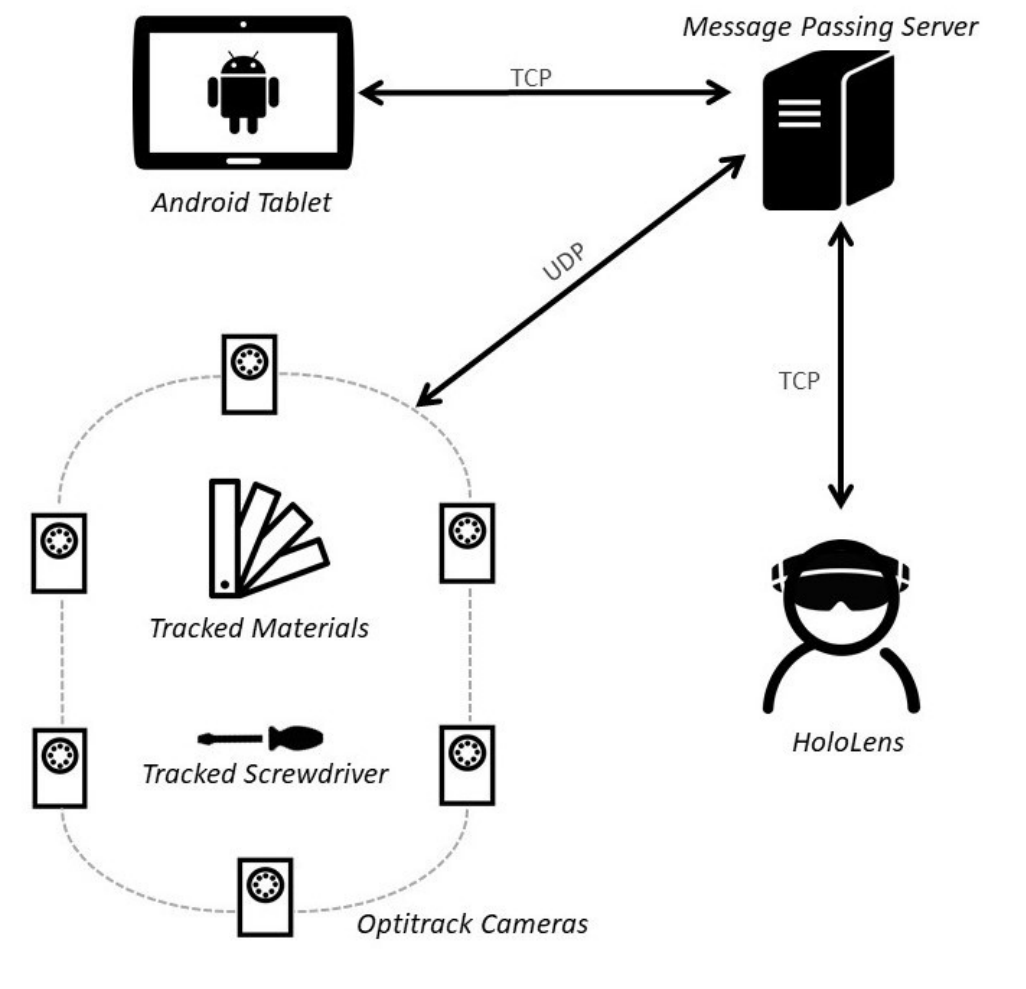
Figure 3: AuthAR System Diagram. A message passing server sends position data of materials and a screwdriver from coordinated Optitrack cameras to the HoloLens. The HoloLens sends video segmenting commands to the Android tablet through the server.
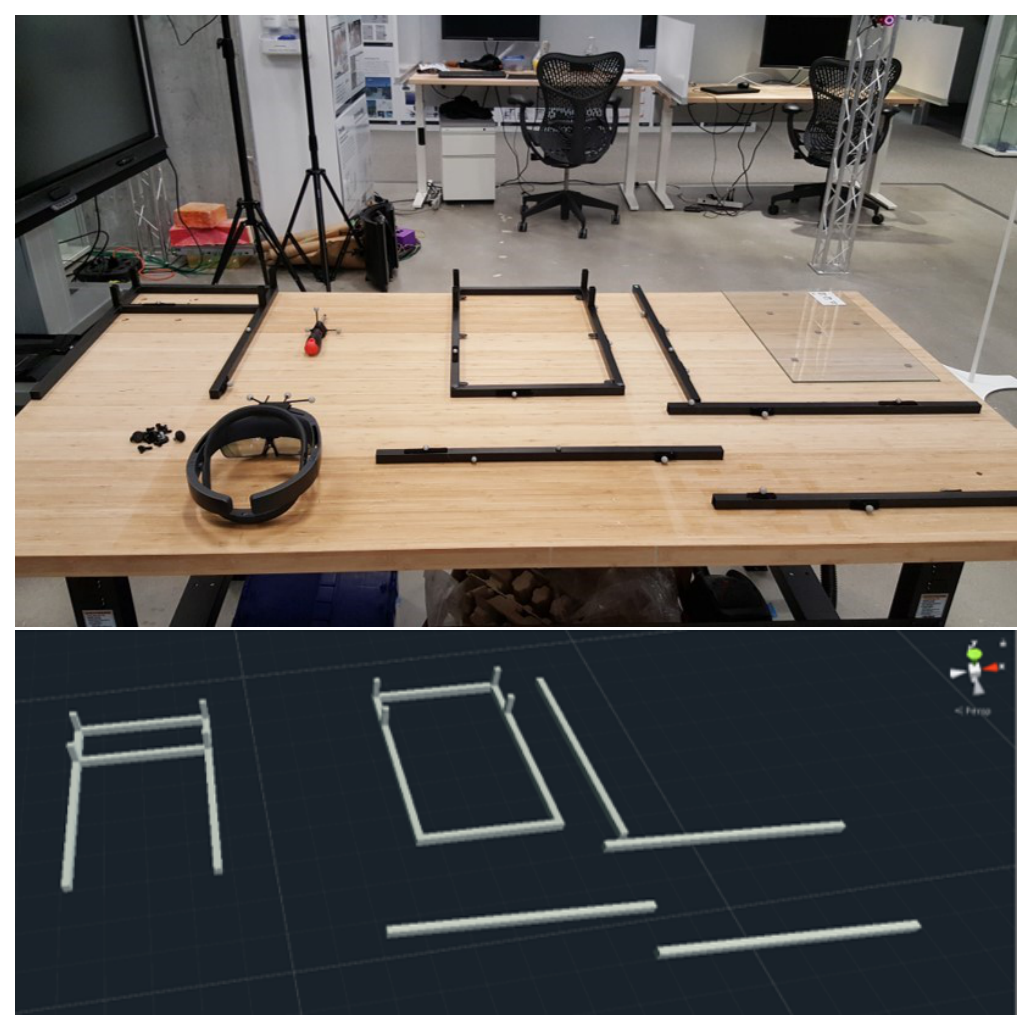
Figure 4: Example configuration of tracked materials in the physicalenvironment (top) and transform data streaming from Optitrack tothe Message Passing Server to provide positional tracking of invisi-b
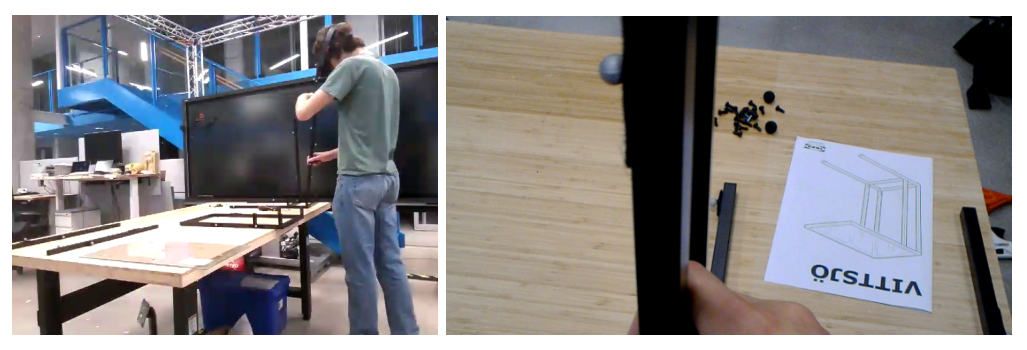
Figure 5: Simultaneous 3rd person video recording from the An-droid tablet (left) and 1st person video recording from the HoloLens(right).
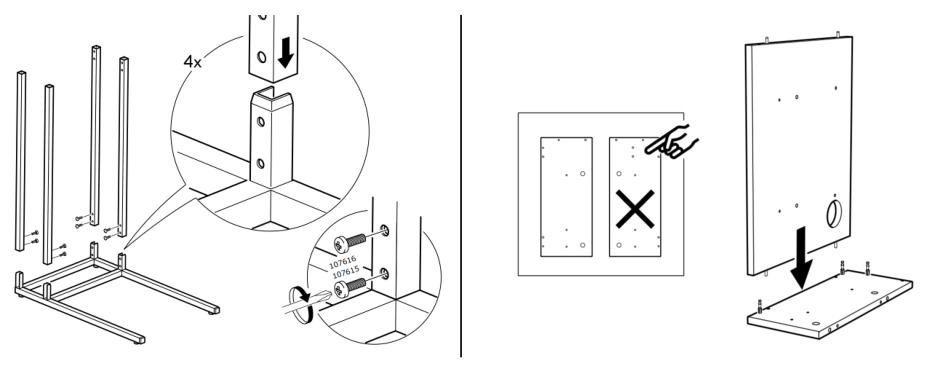
Figure 6: Example usage of callout points in paper-based instruc-tions. Callout points draw attention to the alignment of the holeson the materials (left). Instructions can convey negative examplesof
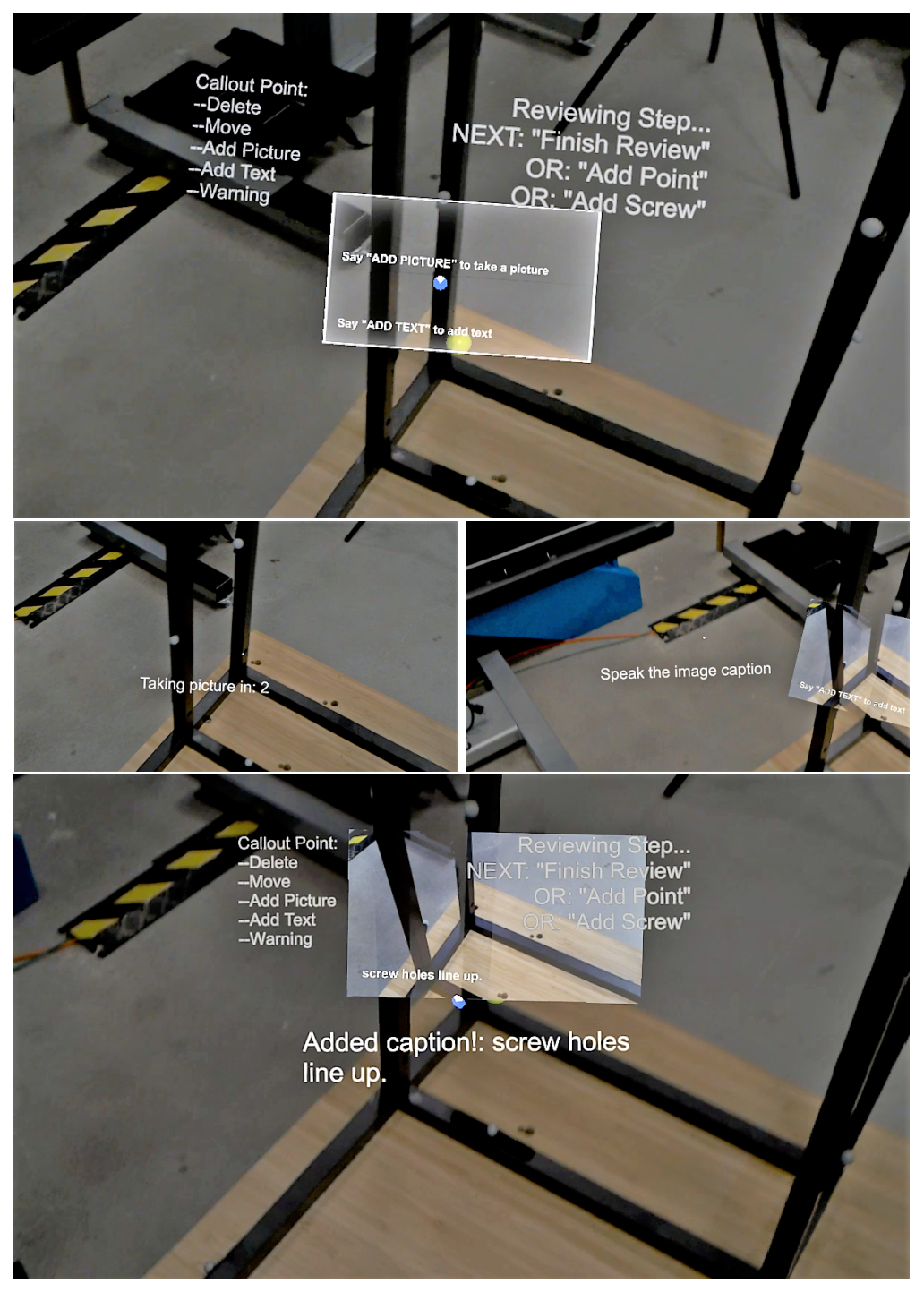
Figure 7: After adding a callout point, that point has a canvas to fillin (top). The author can add a picture (left), and a caption (right)and then has a completed callout point (bottom).
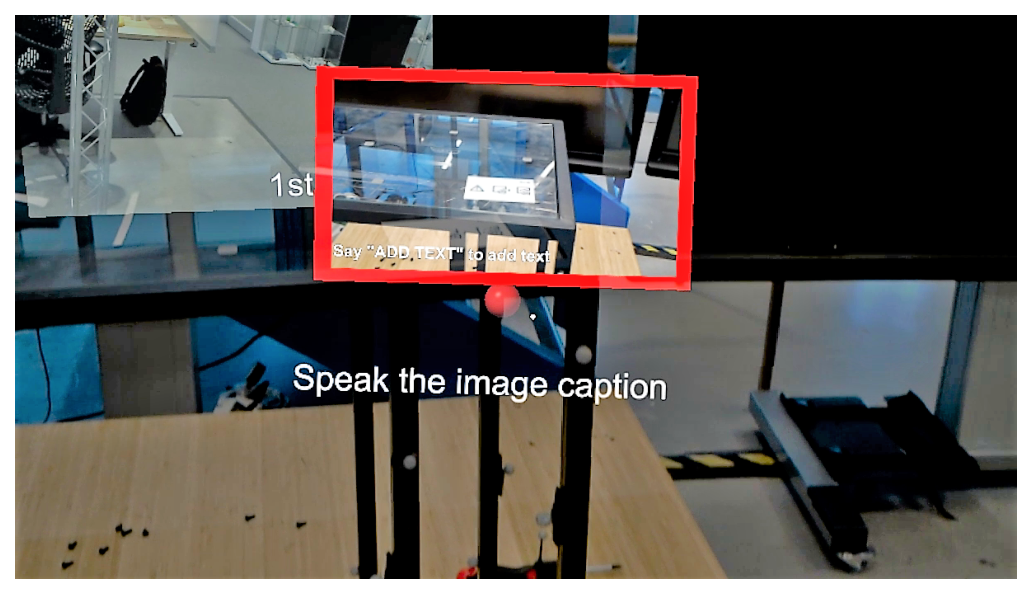
Figure 8: Tutorial author setting a warning about fragile glass usinga red callout point and a red border.
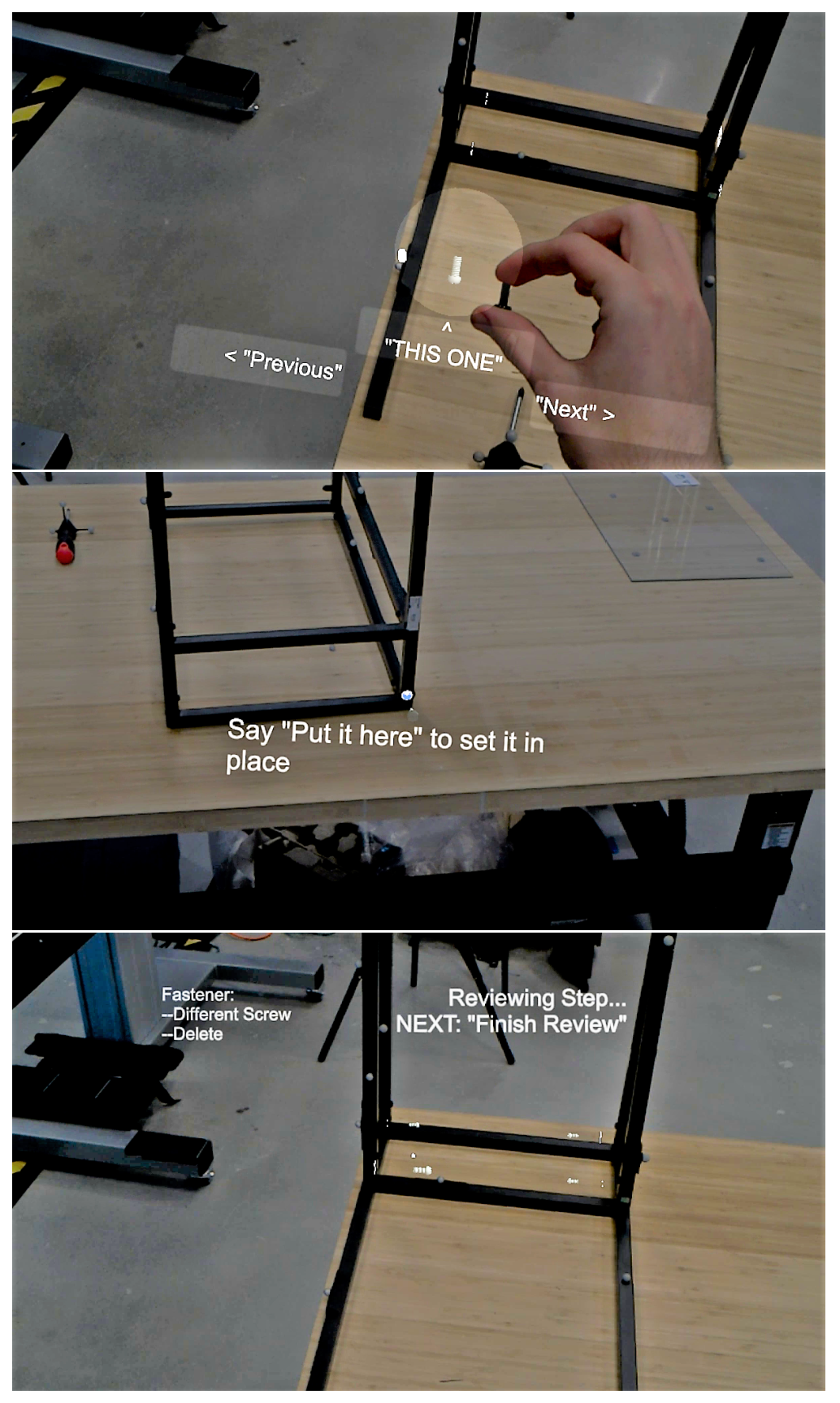
Figure 9: User adding virtual screws to the tutorial. The user canhold the physical screw up to the virtual one for comparison (top),and if the screw hole was not automatically generated, the user can
Figure 10: Example playback of a generated tutorial.

BibTeX

@inproceedings{Whitlock:2020:10.20380/GI2020.43,
 author = {Whitlock, Matt and Fitzmaurice, George and Grossman, Tovi and Matejka, Justin},
 title = {AuthAR: Concurrent Authoring of Tutorials for AR Assembly Guidance},
 booktitle = {Proceedings of Graphics Interface 2020},
 series = {GI 2020},
 year = {2020},
 isbn = {978-0-9947868-5-2},
 location = {University of Toronto},
 pages = {431 -- 439},
 numpages = {9},
 doi = {10.20380/GI2020.43},
 publisher = {Canadian Human-Computer Communications Society / Société canadienne du dialogue humain-machine},
}