Magic Desk: Bringing Multi-Touch Surfaces into Desktop Work
Abstract
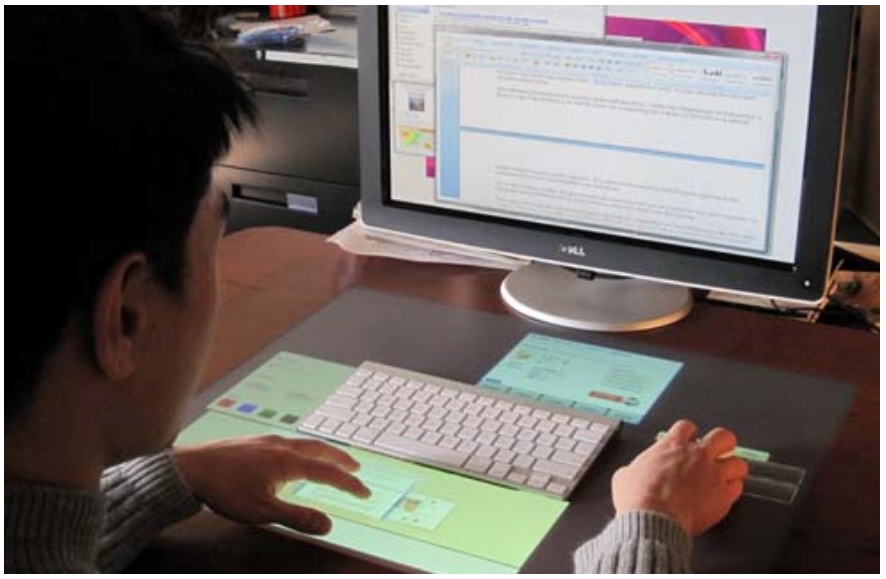
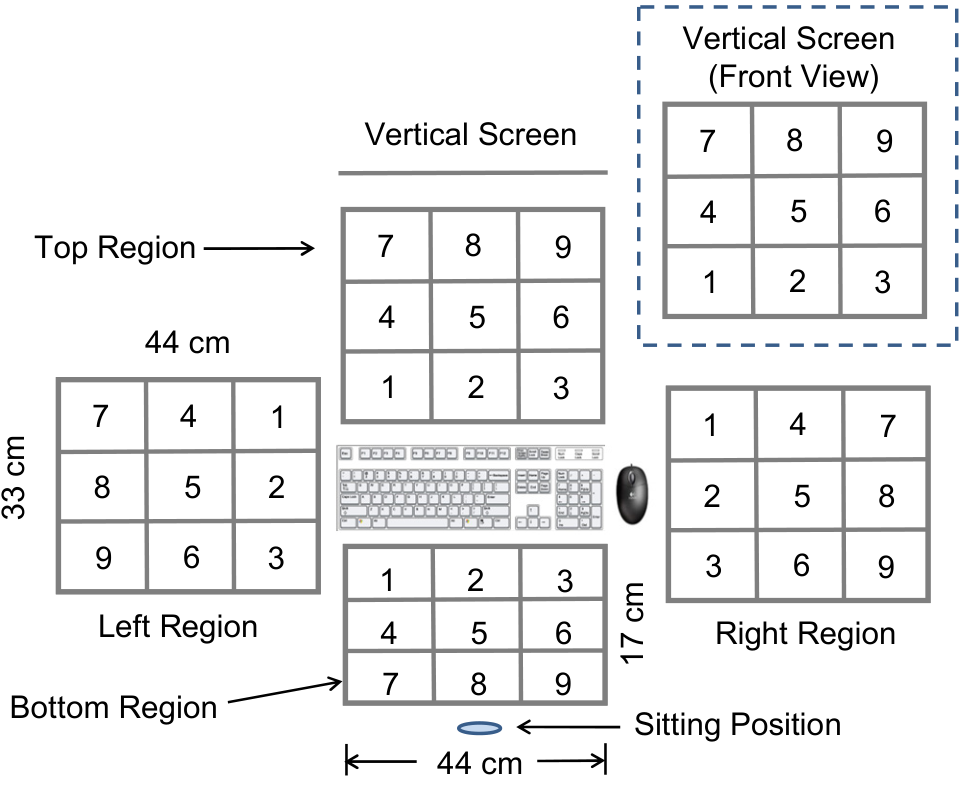
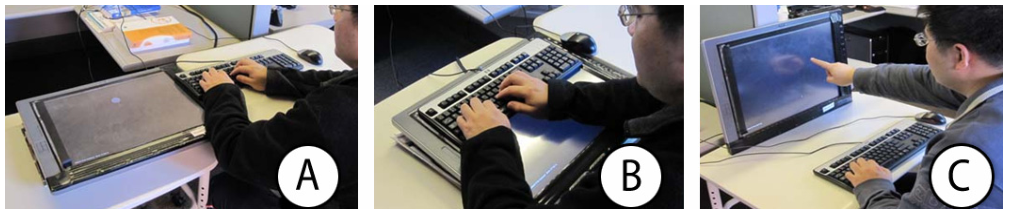
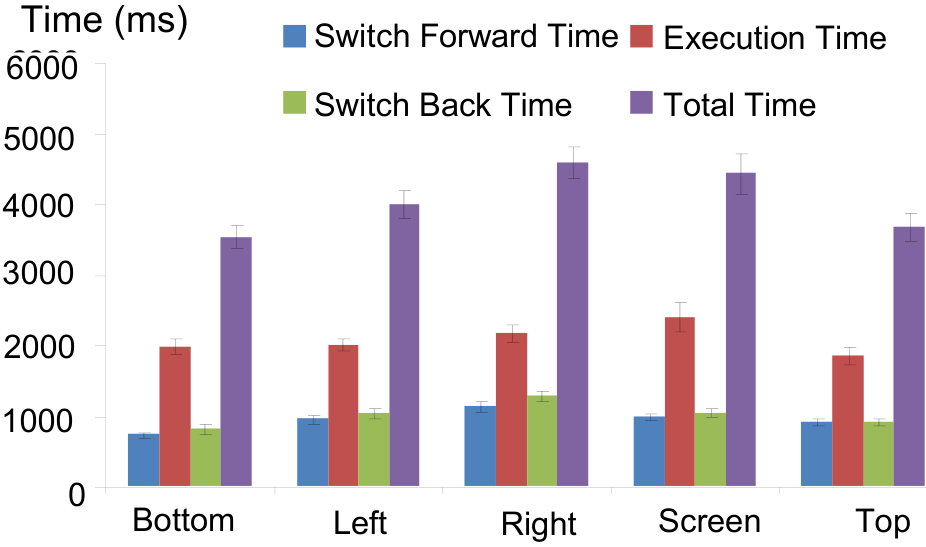
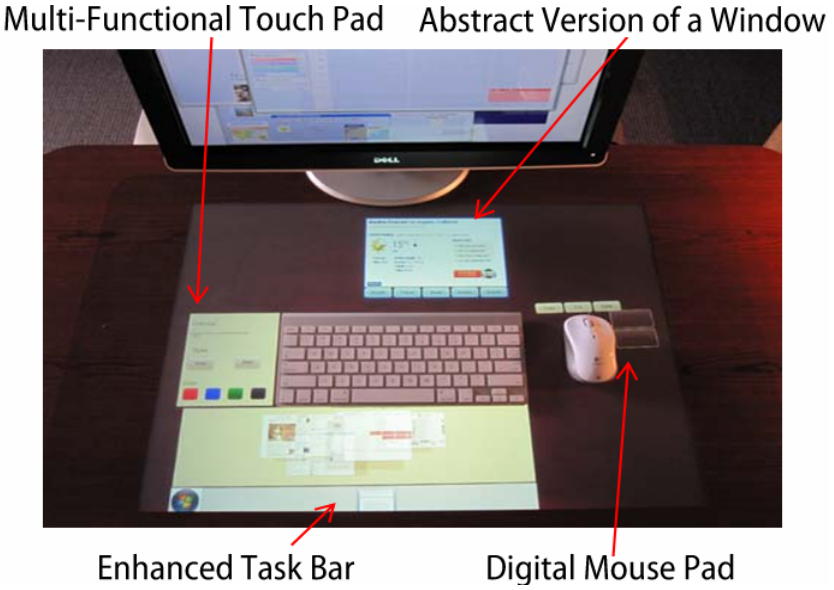
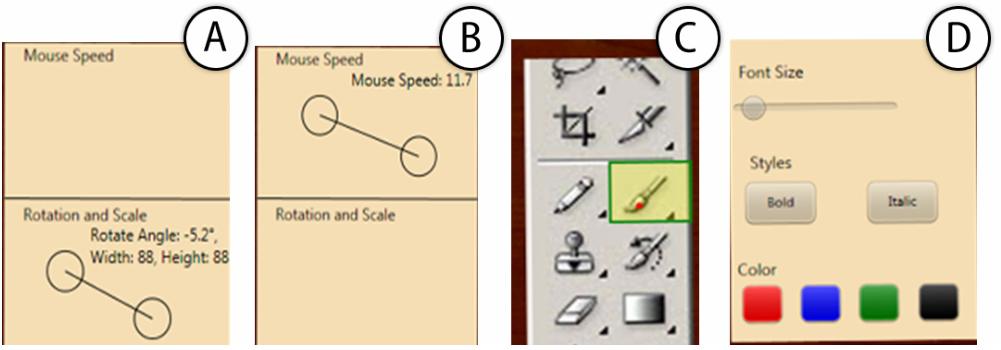
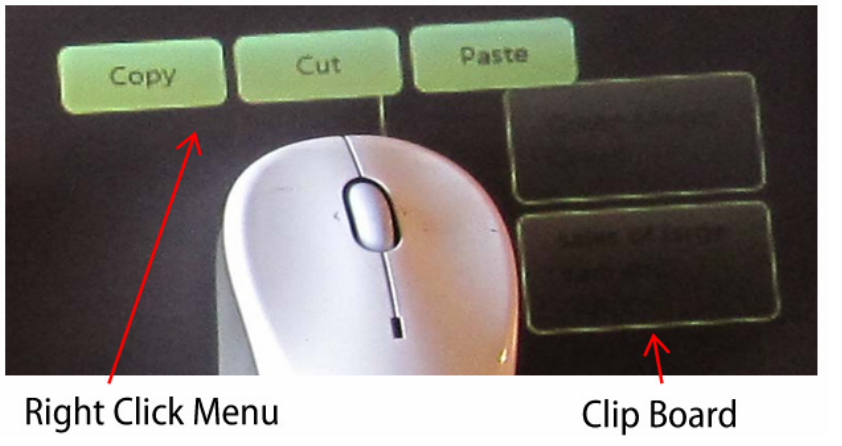
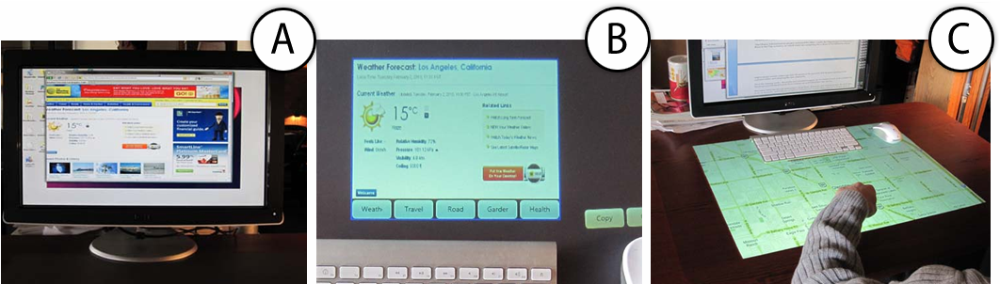
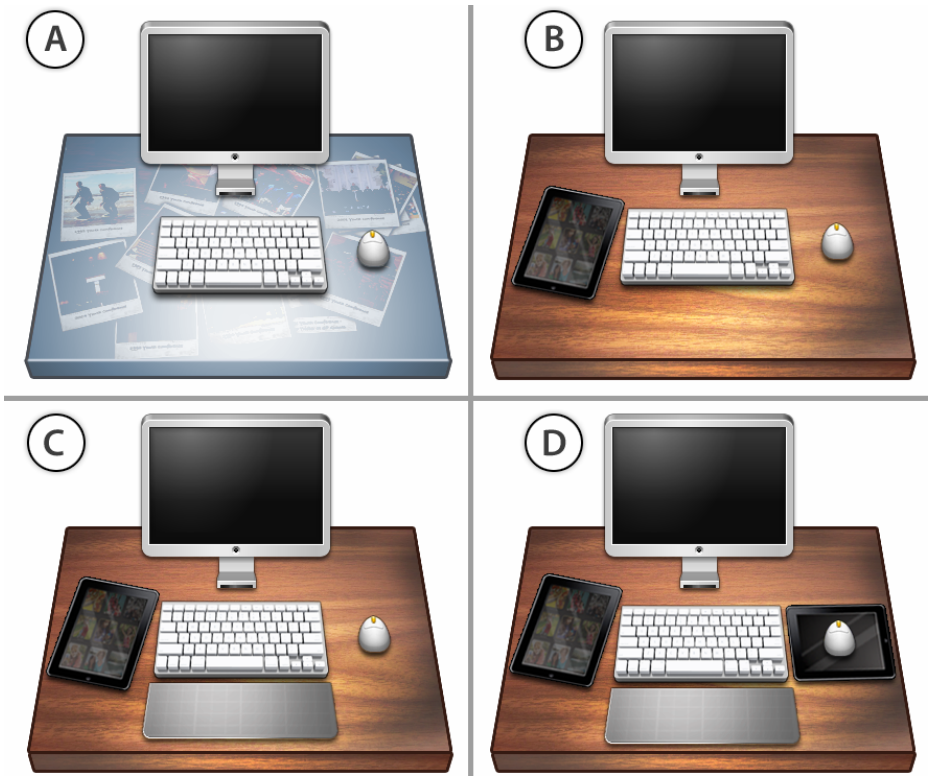
Despite the prominence of multi-touch technologies, there has been little work investigating its integration into the desktop environment. Bringing multi-touch into desktop computing would give users an additional input channel to leverage, enriching the current interaction paradigm dominated by a mouse and keyboard. We provide two main contributions in this domain. First, we describe the results from a study we performed, which systematically evaluates the various potential regions within the traditional desktop configuration that could become multi-touch enabled. The study sheds light on good or bad regions for multi-touch, and also the type of input most appropriate for each of these regions. Second, guided by the results from our study, we explore the design space of multi-touch-integrated desktop experiences. A set of new interaction techniques are coherently integrated into a desktop prototype, called Magic Desk, demonstrating potential uses for multi-touch enabled desktop configurations.
Figures
BibTeX
@inproceedings{10.1145/1978942.1979309,
 abstract = {Despite the prominence of multi-touch technologies, there has been little work investigating its integration into the desktop environment. Bringing multi-touch into desktop computing would give users an additional input channel to leverage, enriching the current interaction paradigm dominated by a mouse and keyboard. We provide two main contributions in this domain. First, we describe the results from a study we performed, which systematically evaluates the various potential regions within the traditional desktop configuration that could become multi-touch enabled. The study sheds light on good or bad regions for multi-touch, and also the type of input most appropriate for each of these regions. Second, guided by the results from our study, we explore the design space of multi-touch-integrated desktop experiences. A set of new interaction techniques are coherently integrated into a desktop prototype, called Magic Desk, demonstrating potential uses for multi-touch enabled desktop configurations.},
 address = {New York, NY, USA},
 author = {Bi, Xiaojun and Grossman, Tovi and Matejka, Justin and Fitzmaurice, George},
 booktitle = {Proceedings of the SIGCHI Conference on Human Factors in Computing Systems},
 doi = {10.1145/1978942.1979309},
 isbn = {9781450302289},
 keywords = {desktop work, multi-touch, tabletop},
 location = {Vancouver, BC, Canada},
 numpages = {10},
 pages = {2511–2520},
 publisher = {Association for Computing Machinery},
 series = {CHI '11},
 title = {Magic Desk: Bringing Multi-Touch Surfaces into Desktop Work},
 url = {https://doi.org/10.1145/1978942.1979309},
 year = {2011}
}