PieCursor: Merging Pointing and Command Selection for Rapid in-Place Tool Switching
Abstract
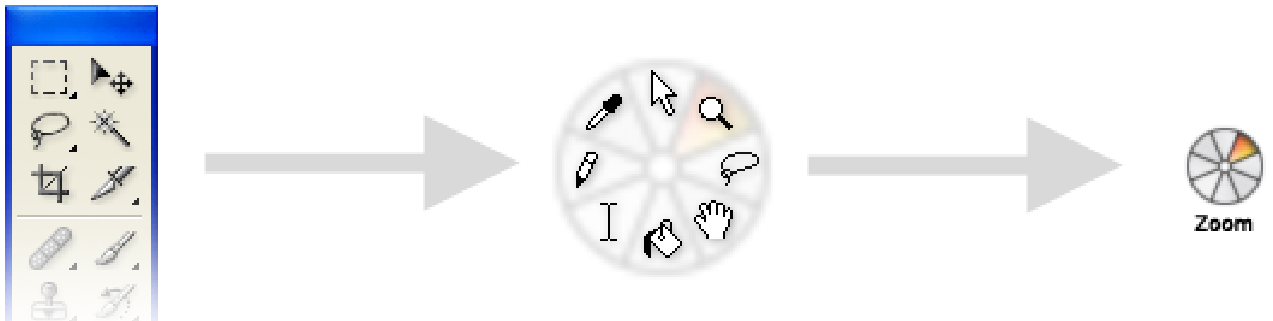
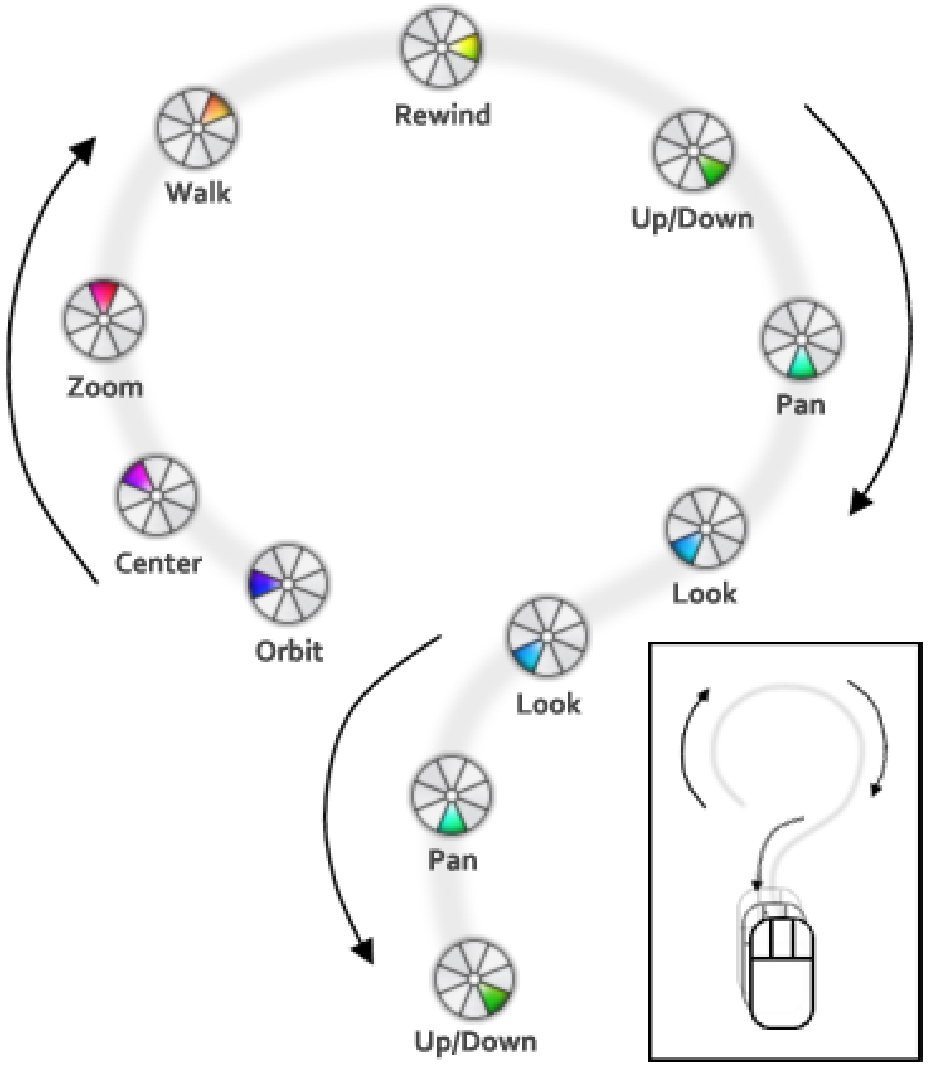
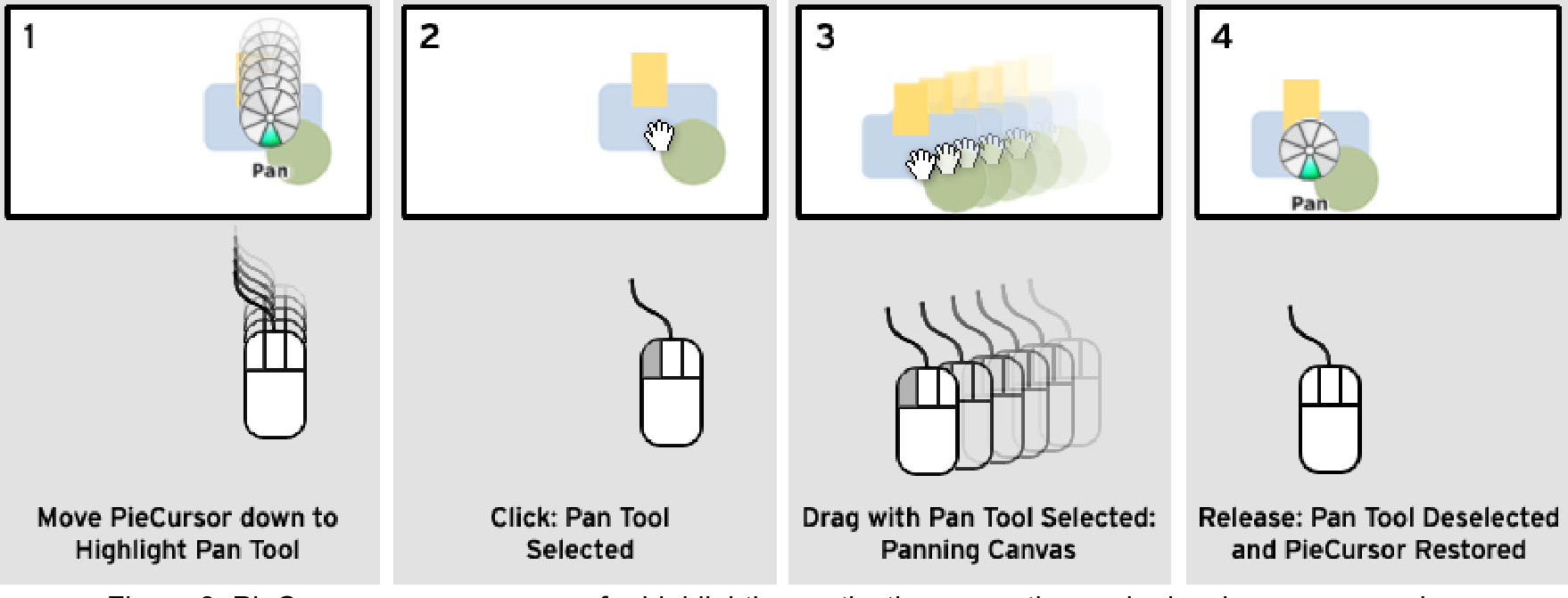
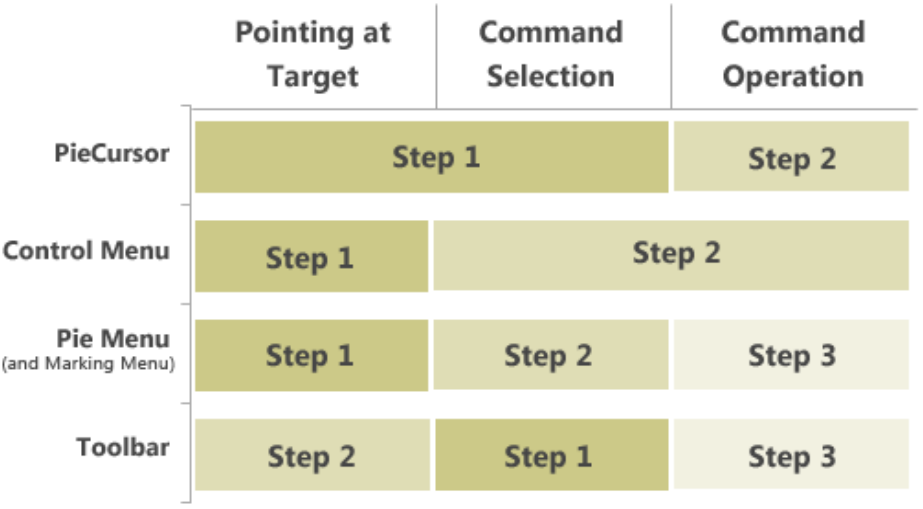
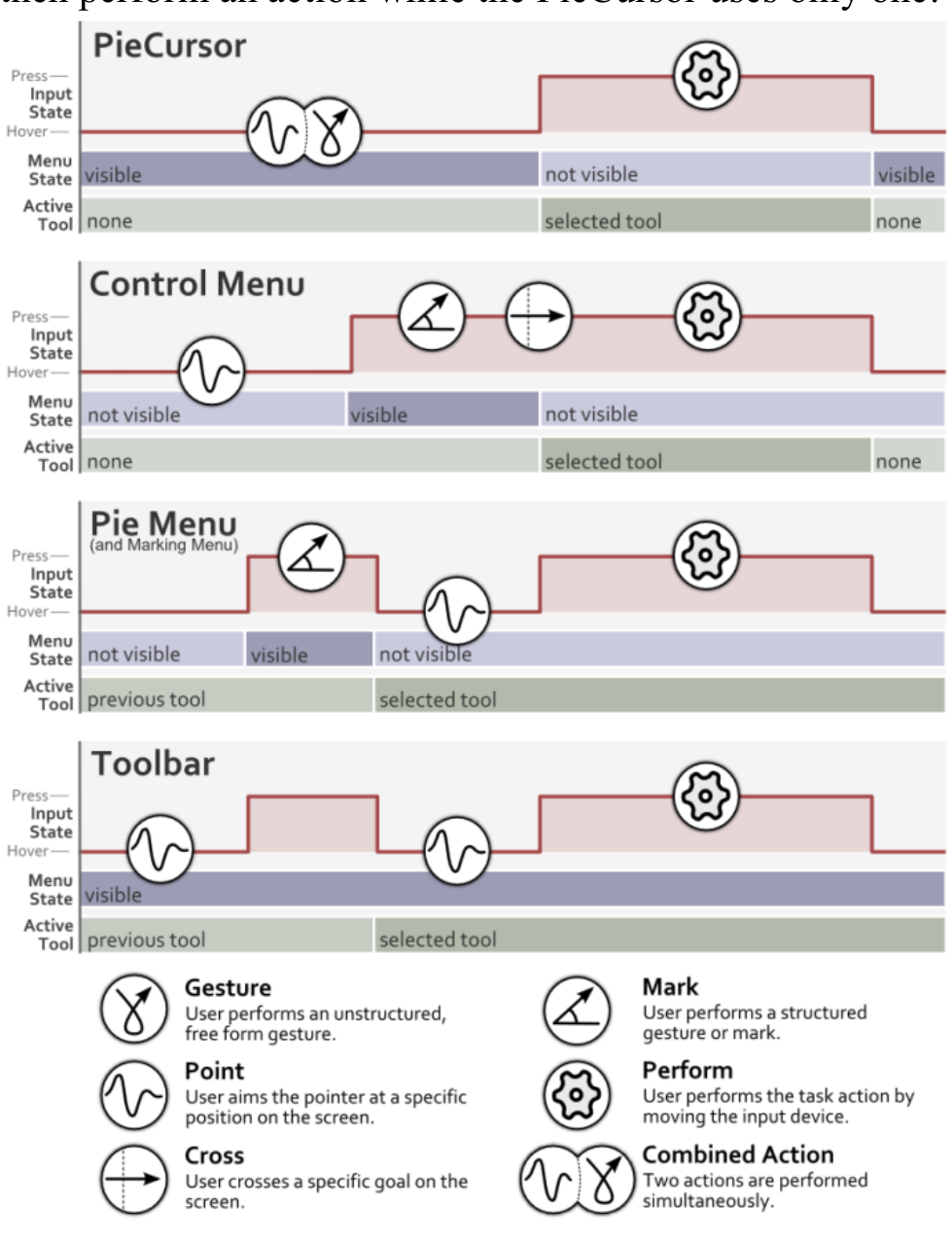
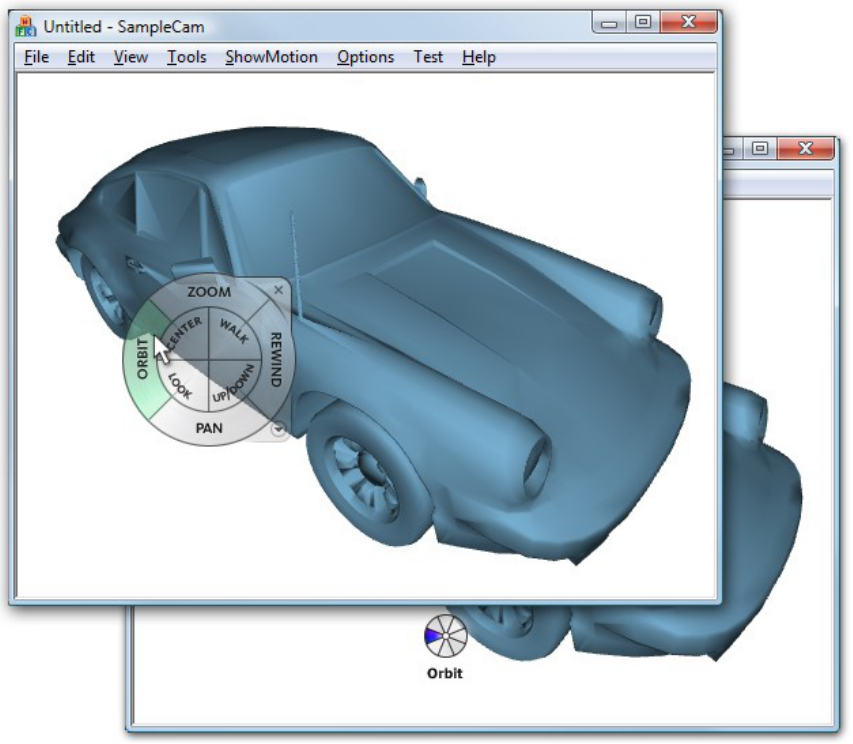
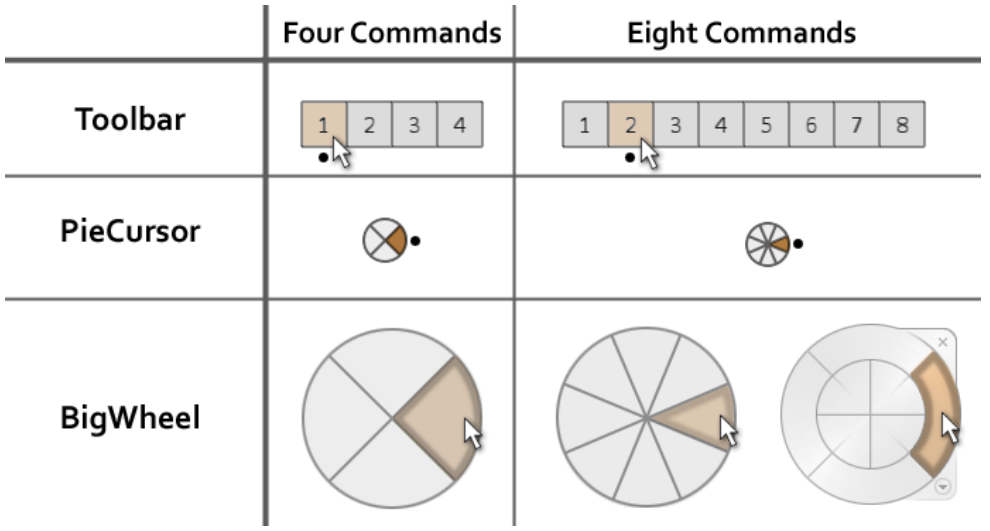
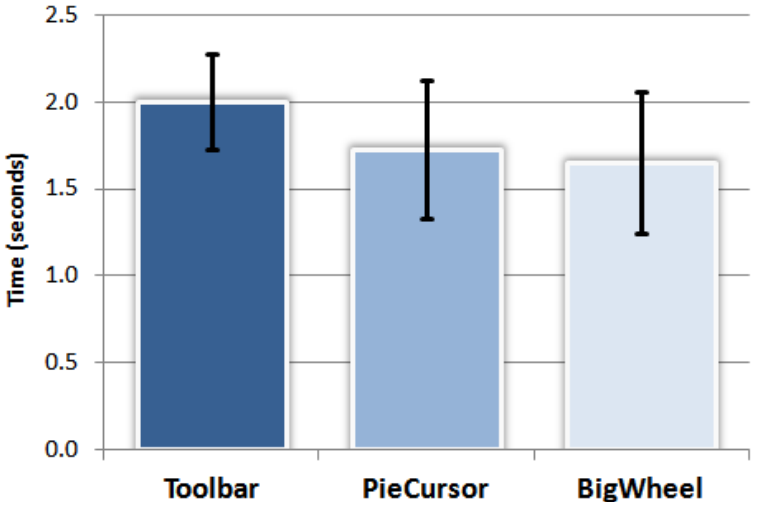
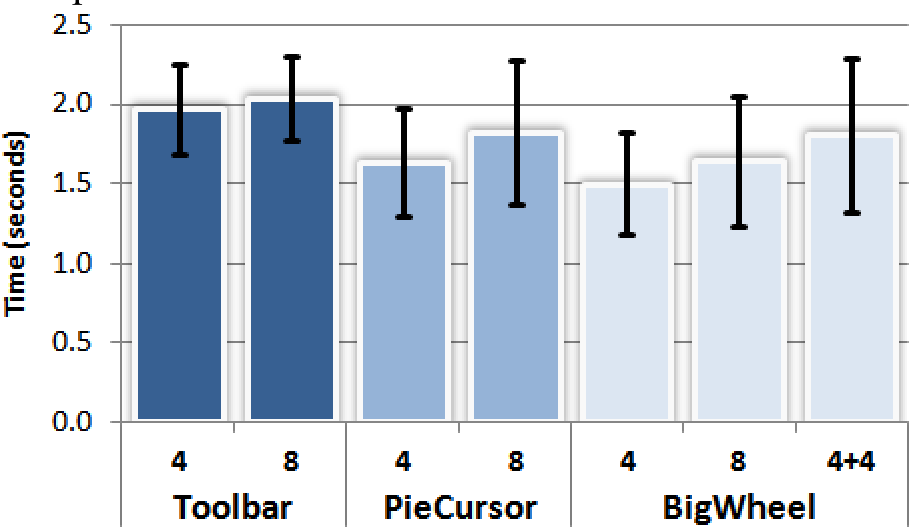
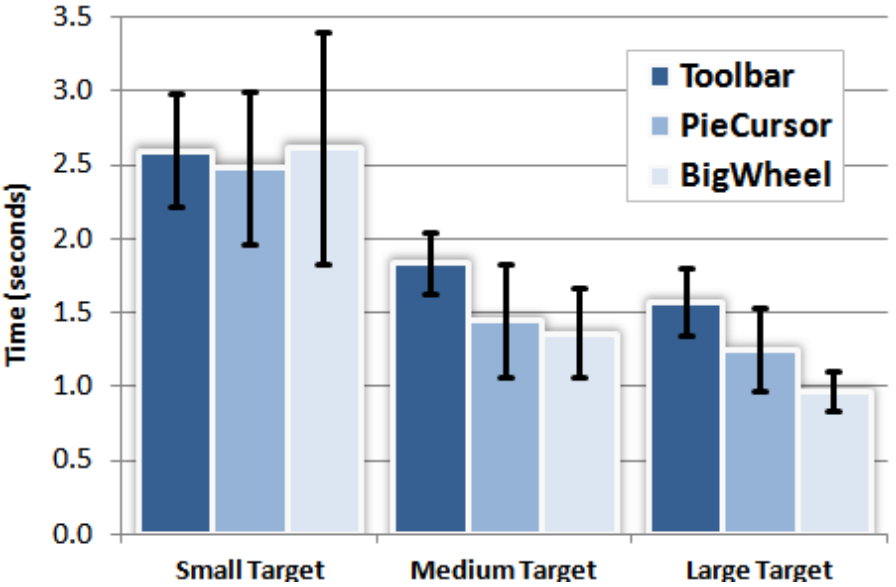
We describe a new type of graphical user interface widget called the \"PieCursor.\" The PieCursor is based on the Tracking Menu technique and consists of a radial cluster of command wedges, is roughly the size of a cursor, and replaces the traditional cursor. The PieCursor technique merges the normal cursor function of pointing with command selection into a single action. A controlled experiment was conducted to compare the performance of rapid command and target selection using the PieCursor against larger versions of Tracking Menus and a status quo Toolbar configuration. Results indicate that for small clusters of tools (4 and 8 command wedges) the PieCursor can outperform the toolbar by 20.8% for coarse pointing. For fine pointing, the performance of the PieCursor degrades approximately to the performance found for the Toolbar condition.
Figures
BibTeX
@inproceedings{10.1145/1357054.1357268,
 abstract = {We describe a new type of graphical user interface widget called the "PieCursor." The PieCursor is based on the Tracking Menu technique and consists of a radial cluster of command wedges, is roughly the size of a cursor, and replaces the traditional cursor. The PieCursor technique merges the normal cursor function of pointing with command selection into a single action. A controlled experiment was conducted to compare the performance of rapid command and target selection using the PieCursor against larger versions of Tracking Menus and a status quo Toolbar configuration. Results indicate that for small clusters of tools (4 and 8 command wedges) the PieCursor can outperform the toolbar by 20.8% for coarse pointing. For fine pointing, the performance of the PieCursor degrades approximately to the performance found for the Toolbar condition.},
 address = {New York, NY, USA},
 author = {Fitzmaurice, George and Matejka, Justin and Khan, Azam and Glueck, Michael and Kurtenbach, Gordon},
 booktitle = {Proceedings of the SIGCHI Conference on Human Factors in Computing Systems},
 doi = {10.1145/1357054.1357268},
 isbn = {9781605580111},
 keywords = {marking menus, radial menus, flow menus, pie menus, floating palette, pen based user interfaces, control menus, tracking menus, multifunction cursor},
 location = {Florence, Italy},
 numpages = {10},
 pages = {1361–1370},
 publisher = {Association for Computing Machinery},
 series = {CHI '08},
 title = {PieCursor: Merging Pointing and Command Selection for Rapid in-Place Tool Switching},
 url = {https://doi.org/10.1145/1357054.1357268},
 year = {2008}
}