k j

PointAloud: An Interaction Suite for AI-Supported Pointer-Centric Think-Aloud Computing

Frederic Gmeiner, John Thompson, George Fitzmaurice, Justin Matejka
January 2026 · Proceedings of the 2026 CHI Conference on Human Factors in Computing Systems (CHI)

Abstract

Think-Aloud Computing, a method for capturing users’ verbalized thoughts during software tasks, allows eliciting rich contextual insights into evolving intentions, struggles, and decision-making processes of users in real-time. However, existing approaches face practical challenges: users often lack awareness of what is captured by the system, are not effectively encouraged to speak, and miss or are interrupted by system feedback. Additionally, thinking aloud should feel worthwhile for users due to the gained contextual AI assistance. To better support and harness Think-Aloud Computing, we introduce PointAloud, a suite of novel AI-driven pointer-centric interactions for in-the-moment verbalization encouragement, low-distraction system feedback, and contextually rich work process documentation alongside proactive AI assistance. Our user study with 12 participants provides insights into the value of pointer-centric think-aloud computing for work process documentation and human-AI co-creation. We conclude by discussing the broader implications of our findings and design considerations for pointer-centric and AI-supported Think-Aloud Computing workflows.

Figures
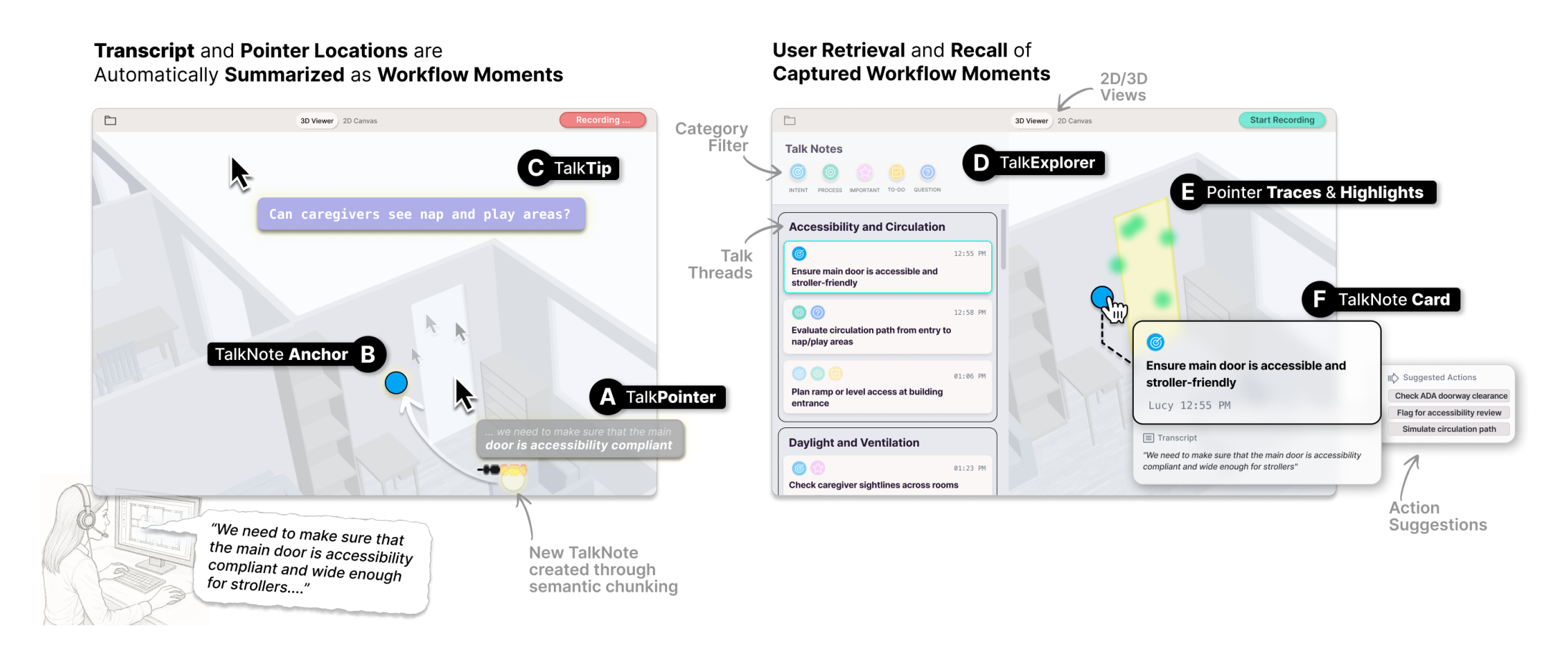
Figure 1: PointAloud allows users to (1) automatically capture their think-aloud verbalizations and pointer locations while working on architectural software tasks in 2D and 3D; with (A) TalkPointer providing pointer-adjacent low-distraction real-time feedback on the capture process and indicating when a new TalkNote gets created, the TalkNote is (B) contextually anchored in the design canvas; Additionally, (C) TalkTips provide short proactive system suggestions in response to users’ activities. (2) To retrieve captured moments, (D) TalkExplorer provides a topically-clustered list view with filter options; when selecting TalkNotes, (E) captured pointer traces and relevant design elements are highlighted in the canvas, along with the TalkNote’s (F) card, which features transcript, summary, process labels, and system-suggested follow-up actions.
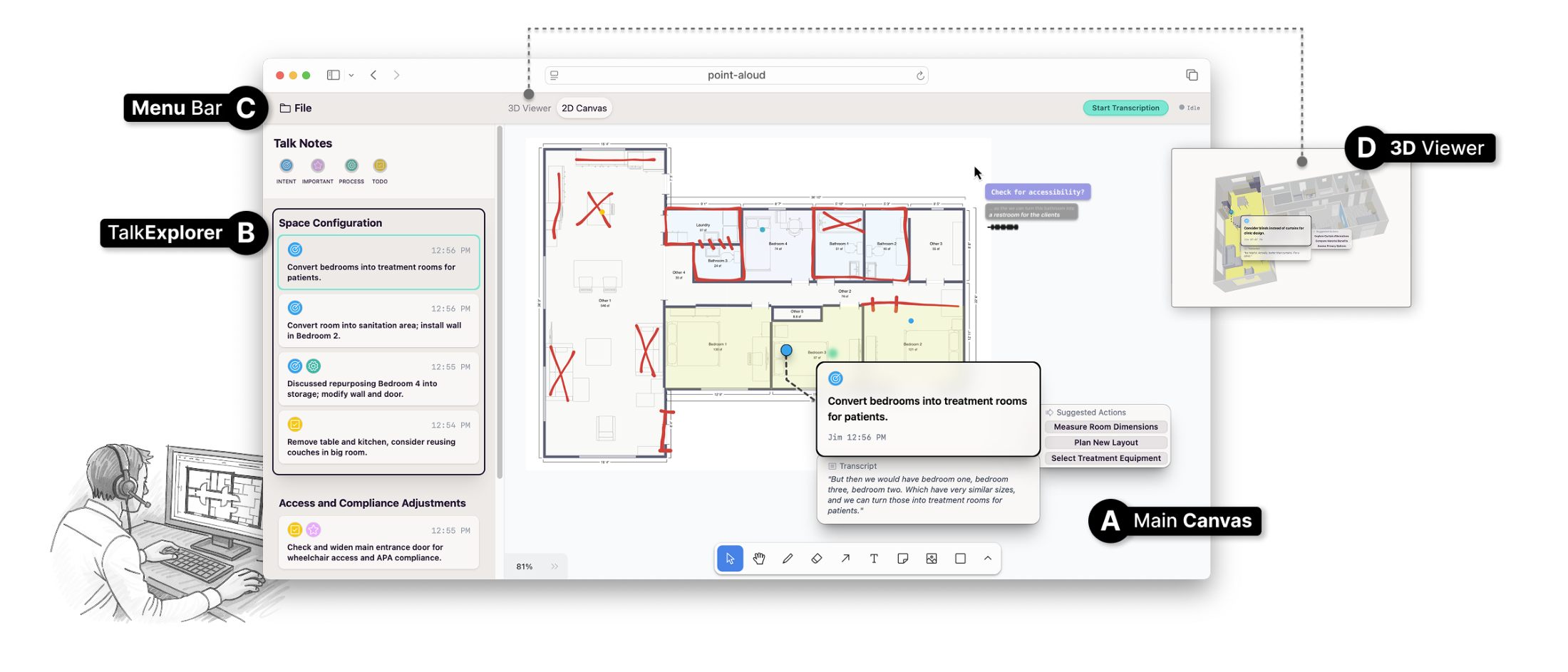
Figure 2: Screenshot of the PointAloud system: (A) Main canvas with activated 2D view containing sketches on a floor plan with an unfolded TalkNote card and TalkPointer next to the mouse cursor; (B) TalkExplorer sidebar for browsing and filtering of captured TalkNotes; (C) Menu bar with controls for starting/stopping transcription and switching between 2D and (D) 3D view.
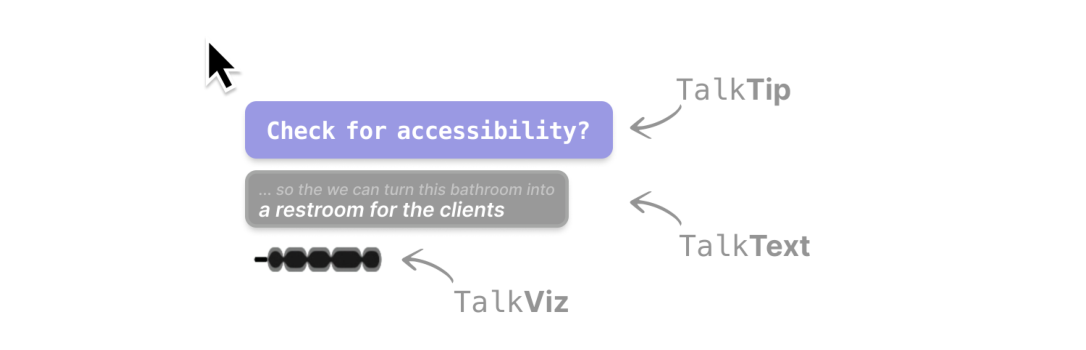
Figure 3: Pointer-adjacent TalkPointer display comprising TalkTip, TalkText, and TalkViz
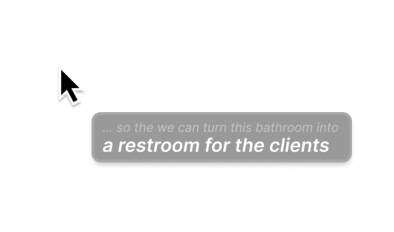
ongoing speech transcription. Figure 4 (1) TalkText (DP1): A short transcription overlay that streams the user’s most re- cently captured words in real time, provid- ing immediate feedback on the system’s
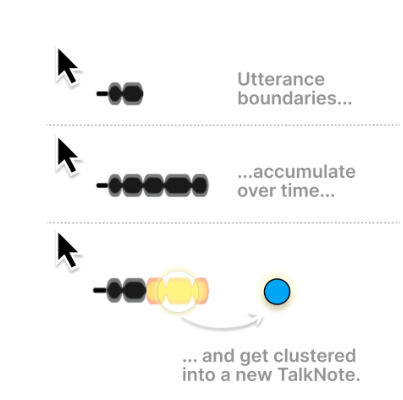
Figure 5 (2) TalkViz (DP1): Visual indicators that signal utterance boundaries and chunking operations, allowing users to see how/when their speech has been segmented and clustered into new TalkNotes.
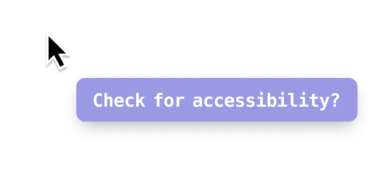
ee YR RENEE BR ER MOABLOALEM AS surface relevant considerations, or pose Figure 6 open-ended questions to support deeper reflection. (3) TalkTip (DP1, DP4): Brief, context- sensitive prompts that appear both during pauses and in response to users’ speech. TV enh Alin ntinn Ce a) Bogan
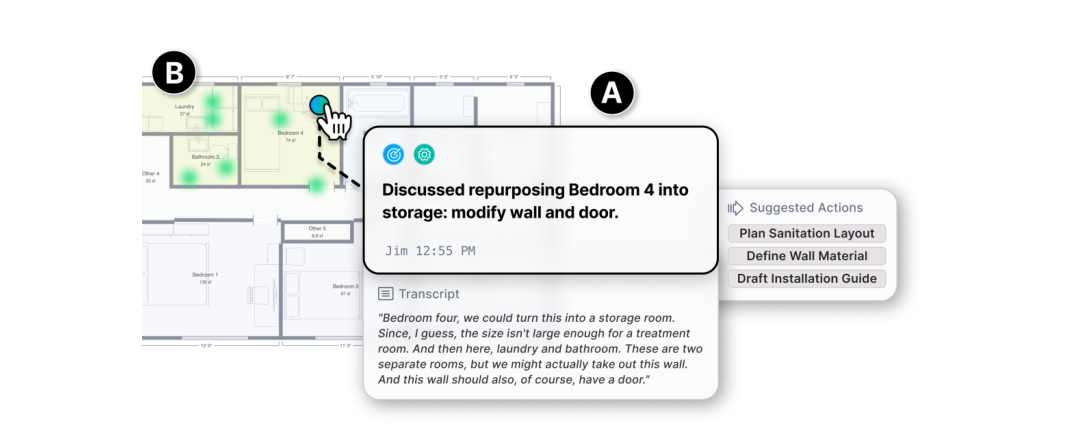
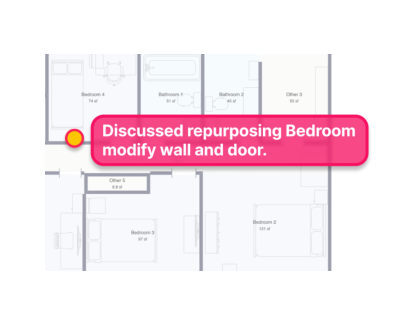
Figure 7: An unfolded TalkNote with two key components: (A) structured note content combining the user’s transcript, system-generated summary, process labels, and suggested follow-up actions; and (B) spatial anchoring that situates the note at the location where the user was pointing during verbalization, complemented by pointer traces (green dots) and design element highlights (yellow overlays).
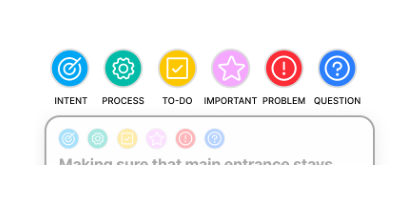
Figure 8 (high-level goals or rationales), Process (operations, tools, or workflow steps), ToDo (tasks to complete later), Important (flagged critical information), Problem (is- sues or obstacles), and Question (open un- certainties). Process Label Categories (DP2): Each TalkNote is automatically assigned one or more categories, reflecting different kinds of design reasoning: Design Intent
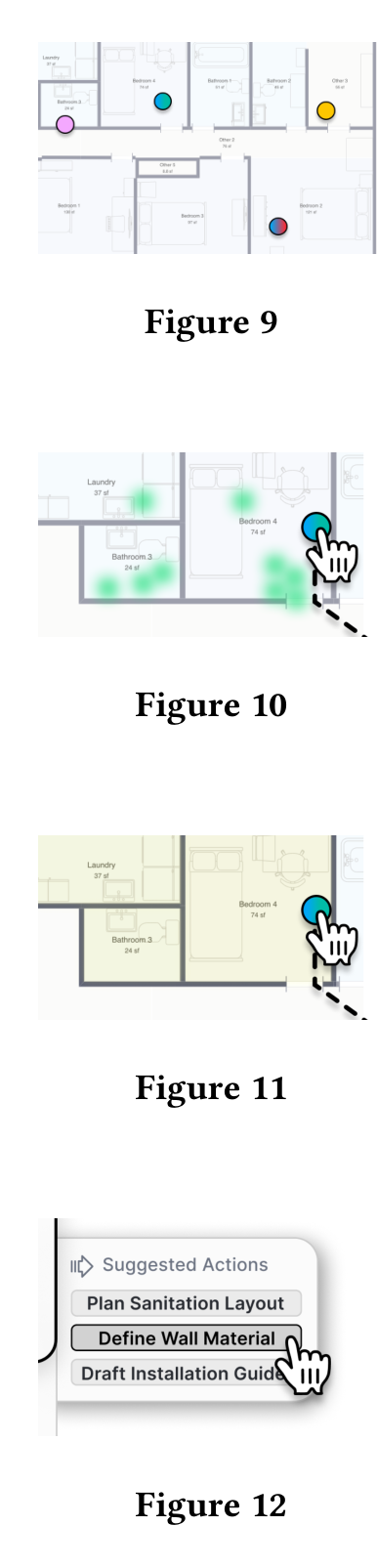
Spatial Anchors (DP3): Notes appear as overlays on the canvas at the location where the user was pointing during ver- balization (as 2D/3D location). Pointer Traces (DP2, DP3): Visual paths of cursor movement during speech are stored and shown as overlays, providing contextual grounding. Design Element Highlights (DP2, DP3): Relevant architectural elements refer- enced during users’ speech are visually linked to the note. Action Suggestions (DP4): Based on the TalkNote’s captured context, the system dynamically generates a UI button menu with follow-up system actions for users to trigger?.
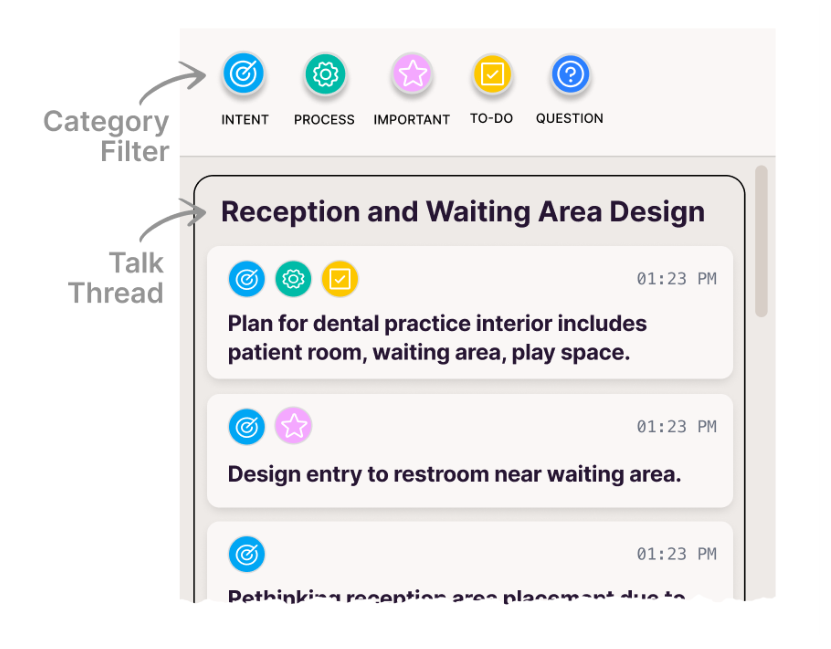
Figure 13: TalkExplorer sidebar with filter options and Tal- kNotes topically clustered into TalkThreads.
Figure 14 ing reasoning with past decisions without requiring explicit search or navigation. When the user’s current verbalization re- lates to earlier concerns, previously cre- ated TalkNotes briefly reappear on the canvas, highlighted and summarized next to their anchors. This lightweight mecha- nism helps jog memory and connect ongo-
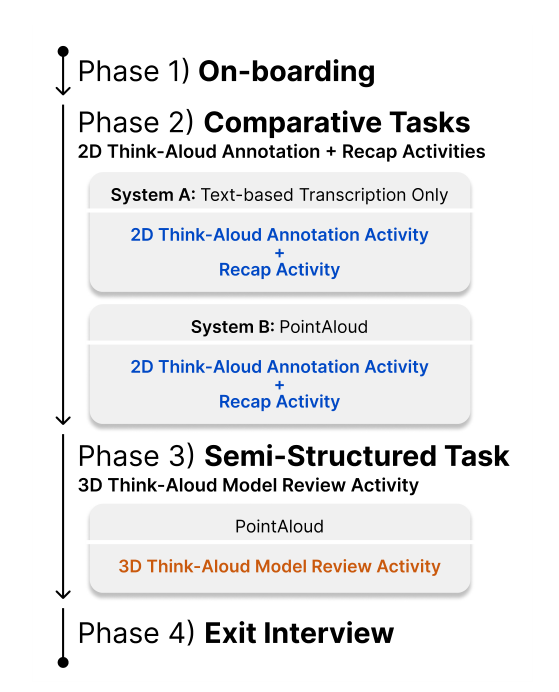
Figure 15: Process diagram of the four-phase study proce- dure.
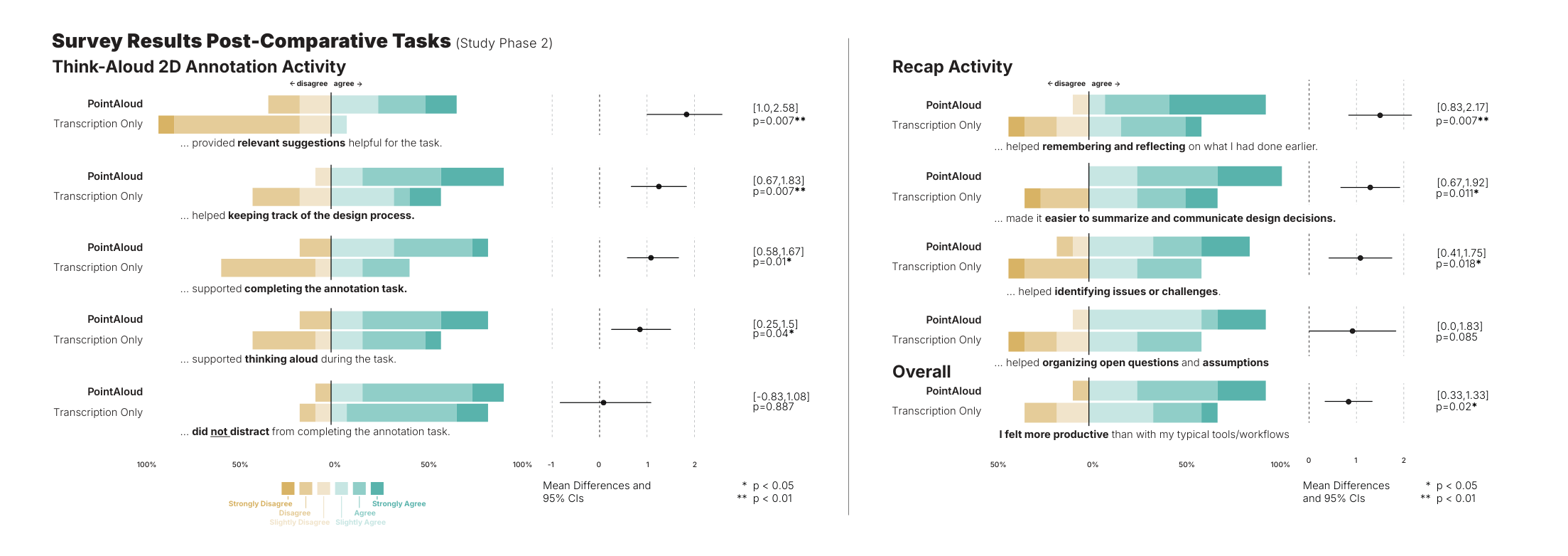
Figure 16: Participants’ responses when rating the 6-point Likert statements for annotation and recap activities completed with PointAloud and text-based live transcription only (baseline), ranked from largest to smallest effects; Dots show the mean difference of PointAloud compared to Text-based Transcription Only; Bars are the 95% CIs calculated with the studentized bootstrap method.
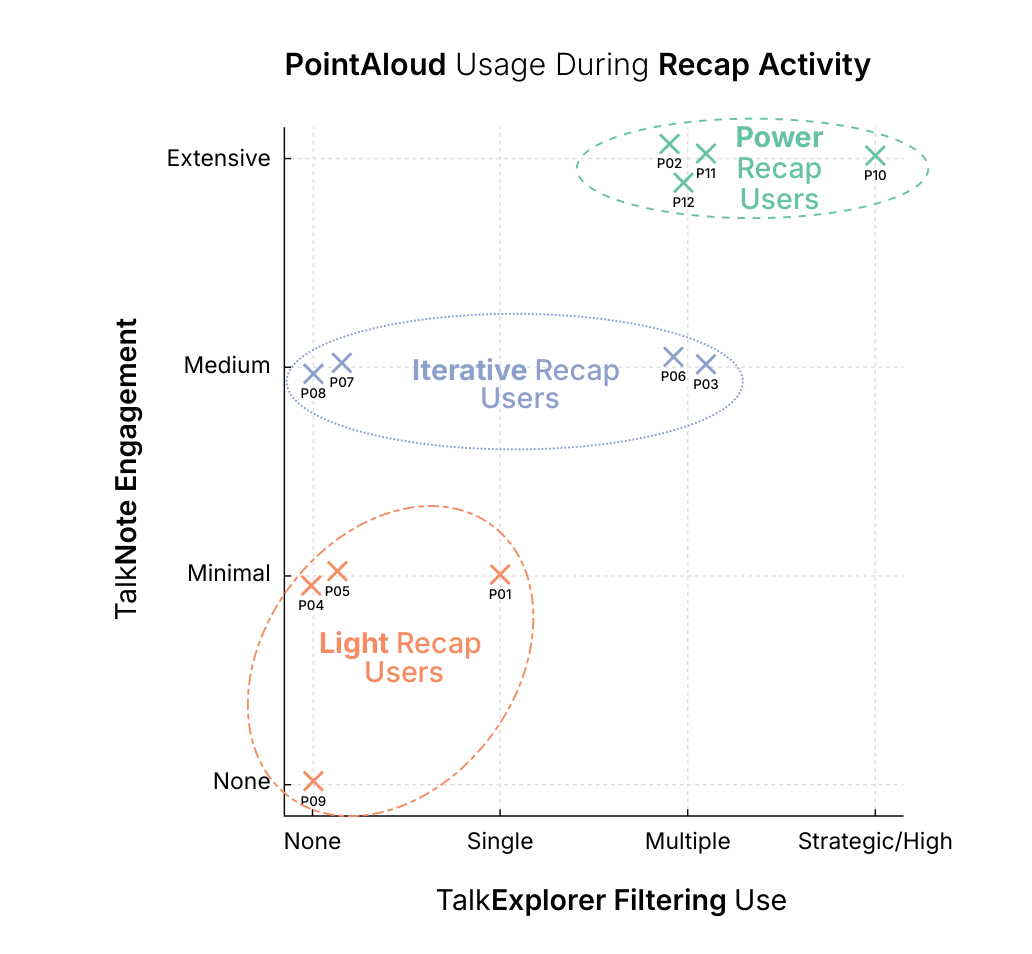
Figure 17: Patterns of TalkNote engagement and TalkExplorer filtering use during the recap activity, distinguishing Light Users, Iterative Users, and Power Users.
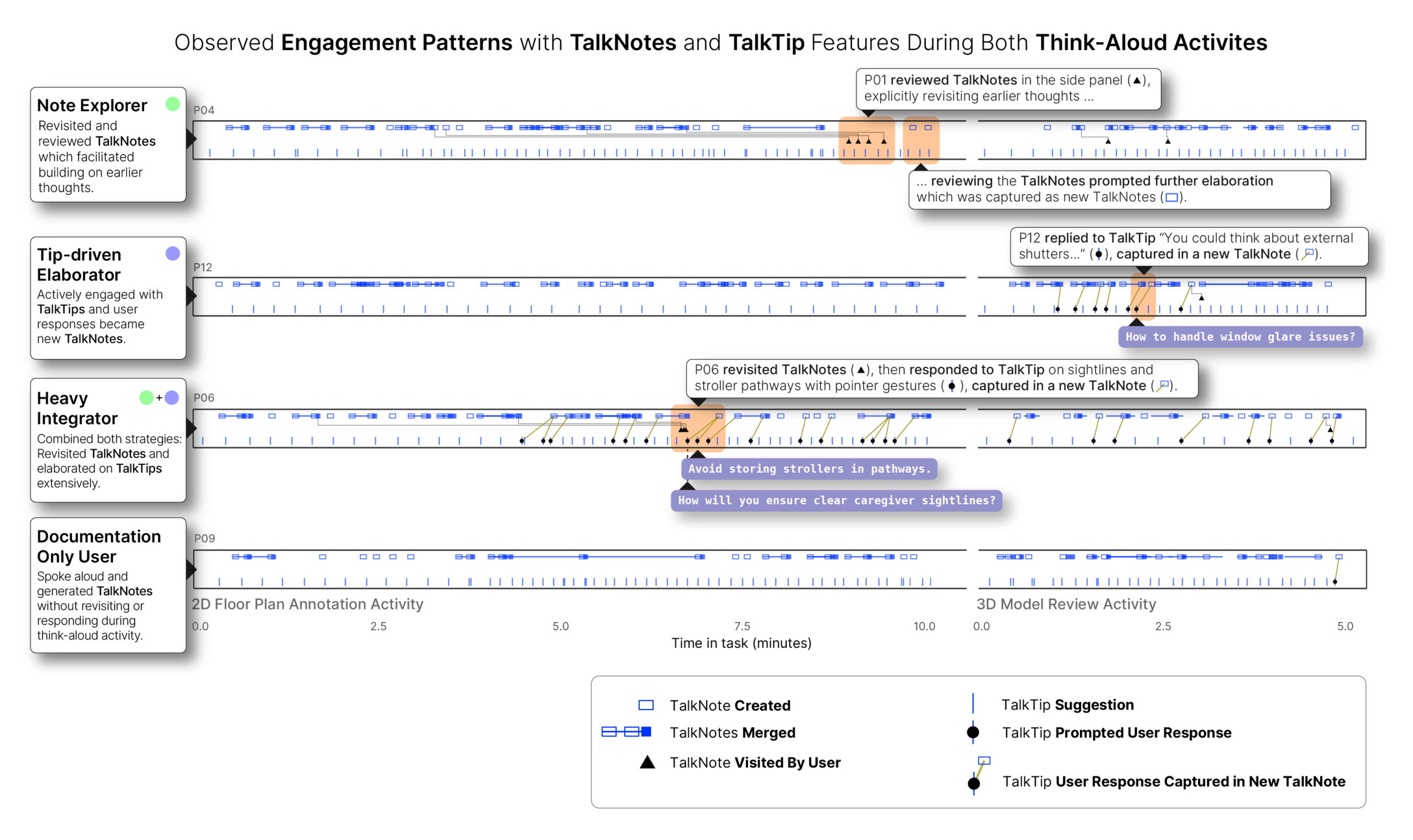
Figure 18: Timeline visualizations of interaction events, illustrating four engagement patterns with TalkNotes and TalkTips during the 2D floor plan annotation and 3D model review activities: Note Explorer, Tip-driven Elaborator, Heavy Integrator, and Documentation-only User.

BibTeX

@inproceedings{10.1145/3772318.3790797,
author = {Gmeiner, Frederic and Thompson, John and Fitzmaurice, George and Matejka, Justin},
title = {PointAloud: An Interaction Suite for AI-Supported Pointer-Centric Think-Aloud Computing},
year = {2026},
isbn = {9798400722783},
publisher = {Association for Computing Machinery},
address = {New York, NY, USA},
url = {https://doi.org/10.1145/3772318.3790797},
doi = {10.1145/3772318.3790797},
abstract = {Think-Aloud Computing, a method for capturing users’ verbalized thoughts during software tasks, allows eliciting rich contextual insights into evolving intentions, struggles, and decision-making processes of users in real-time. However, existing approaches face practical challenges: users often lack awareness of what is captured by the system, are not effectively encouraged to speak, and miss or are interrupted by system feedback. Additionally, thinking aloud should feel worthwhile for users due to the gained contextual AI assistance. To better support and harness Think-Aloud Computing, we introduce PointAloud, a suite of novel AI-driven pointer-centric interactions for in-the-moment verbalization encouragement, low-distraction system feedback, and contextually rich work process documentation alongside proactive AI assistance. Our user study with 12 participants provides insights into the value of pointer-centric think-aloud computing for work process documentation and human-AI co-creation. We conclude by discussing the broader implications of our findings and design considerations for pointer-centric and AI-supported Think-Aloud Computing workflows.},
booktitle = {Proceedings of the 2026 CHI Conference on Human Factors in Computing Systems},
articleno = {815},
numpages = {37},
keywords = {think-aloud computing, work process documentation, human-AI interaction, pointer interactions, context-aware support},
location = {
},
series = {CHI '26}
}